Gametrak
Automated game session tracking and playtime analytics.
Overview
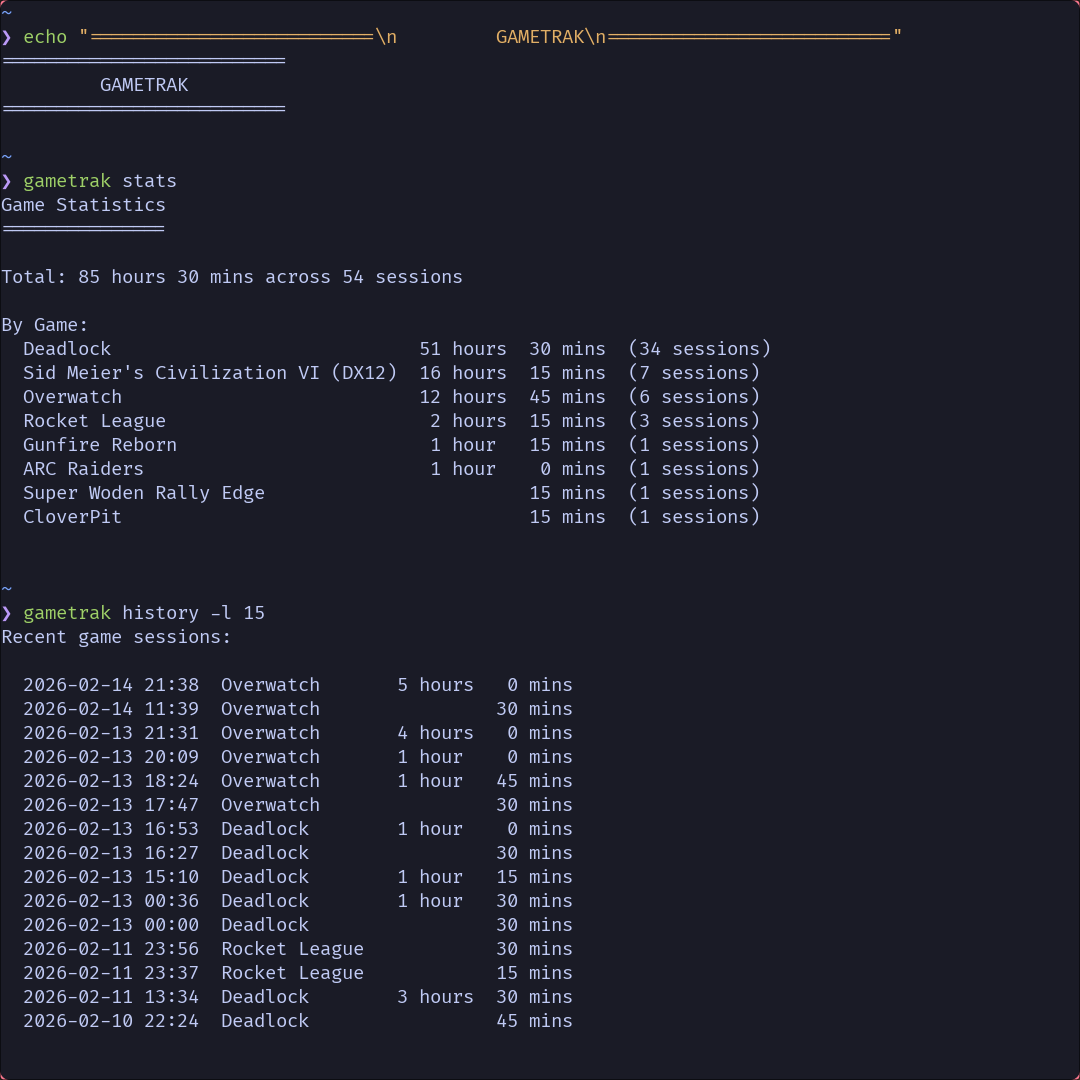
Gametrak is a lightweight playtime tracking daemon for Linux that automatically logs your gaming sessions without launchers, overlays, or manual input. If you use Hyprland, it just works in the background. It works by hooking into Hyprland's Unix socket event system, listening asynchronously for window open and close events. When a game from your configured list launches, Gametrak records the timestamp in memory. When that window closes, it calculates the session duration and appends the entry to a log file. The matching system supports both exact titles and prefixed titles, so it handles games with subtitles or extra window decorations without extra configuration. From there, the CLI portion of Gametrak is used to display aggregated stats, per-game history, and clean output with filtering by game name and recency.
Technologies
- Go
- Cobra
- Viper
- Hyprland Sockets
Key Features
- Asynchronous
- Memory-effecient
- Fast
- Quiet
- Filtering
- Stat Aggregation
Challenges
The primary challenge I faced with this idea was how to trigger the parser. My first implementation was fairly naive, sleeping the program for 2 seconds, parsing the entire `hyprctl clients` output to search for games based on Steams default prefix, "steam_app_*", but this had several problems. 1. I was not a fan of the program uselessly running every 2 seconds and parsing on average 500 lines of text. In reality, this would be near negligible in terms of performance hits and memory usage, but it wasn't a "good" solution, so I looked for a better solution. After several brainstorming sessions and many Google searches, I finally realized how I could limit the program to only running when necessary (when a window is opened or closed), which as you may have guessed, was by using Hyprland's openwindow socket event. This reduced the amount of times that Gametrak was called per 1 hour of normal PC usage from around 1800 calls to only 37 calls. On top of this, the amount of text that has to be parsed was reduced from on average 500 lines to 1 ~50 character line.
Outcome
I was extraordinarily pleased with this performance improvement and felt better about actually using it given there was no longer a voice in the back of my head telling me that while I am just using the browser or playing games there is a background service running every 2 seconds basically wasting resources. I know that isn't an uncommon occurrence on modern PC's, but I didn't want to be the source of another one of these problems, and thankfully, I don't have to worry about that with this implementation. I do have plans to improve this performance a little more with some more optimizations, but for the moment, I am satisfied with its abilities, and it has been remarkably useful for monitoring my gaming habits and such.